ToolsBuilt is a free collection of 50 calculators and web tools, from a loan EMI calculator to a password generator. There is no sign-up and there are no ads, and every calculation runs inside your own browser. This page explains what is on the site, how it treats your data and who builds it.
Key takeaways
- 50 free tools in 7 categories, from finance and exam marks to text, dates and code.
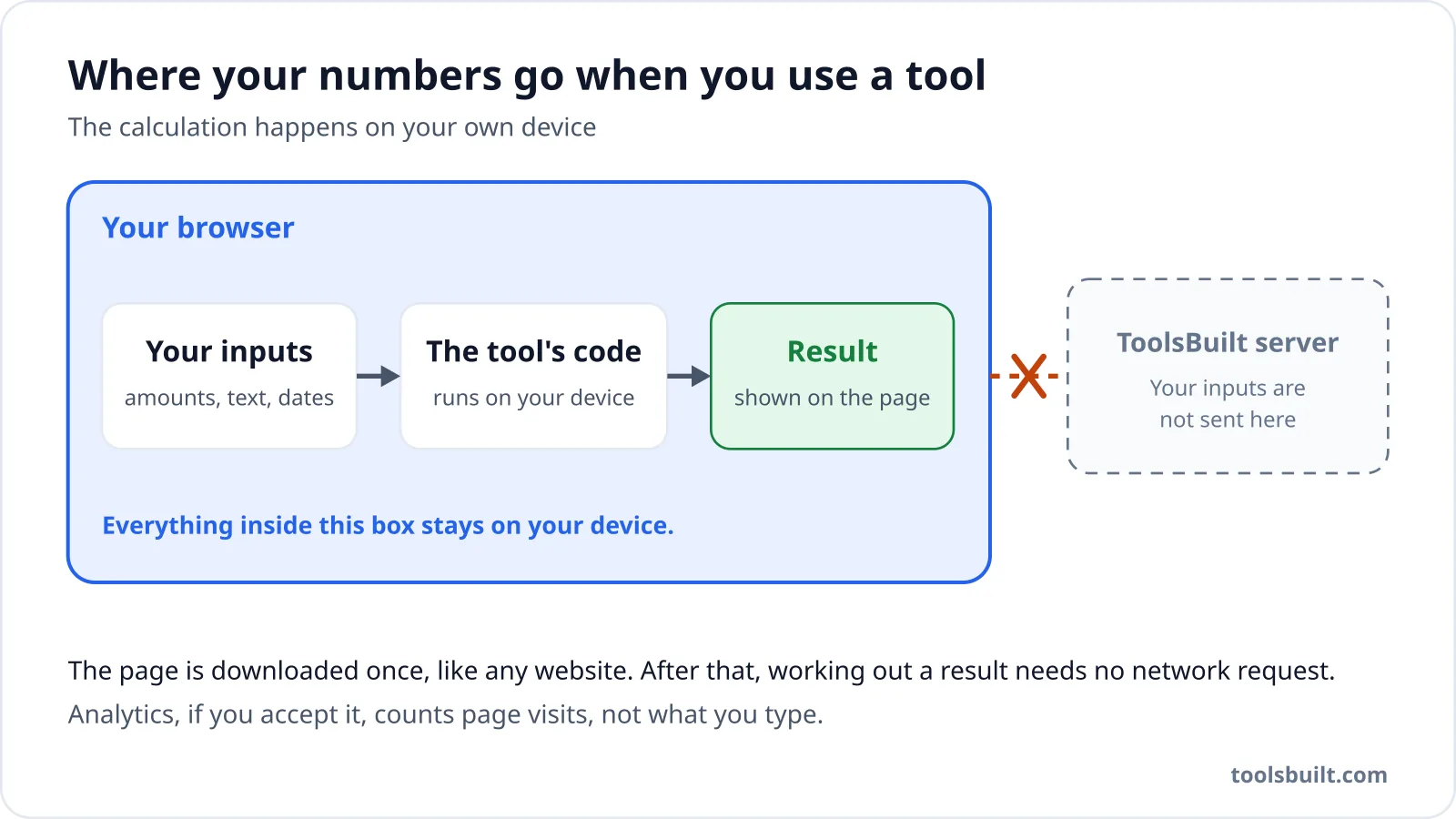
- Your inputs are calculated in your browser and are not sent to a ToolsBuilt server.
- No account, no paywall and no ads. Analytics loads only if you accept it.
- Every tool is available in 9 languages, including Urdu, Arabic and Hindi.
- The site's source code is public on GitHub, so anyone can check how a result is worked out.
When I started building ToolsBuilt, I had one rule: a useful tool should be free, fast and private. Too many online calculators hide the tool under ads, ask for an account before showing a result, or send what you type to a server you know nothing about. ToolsBuilt is meant to be the opposite of all three.
What is ToolsBuilt?
ToolsBuilt is a website of single-purpose tools: calculators, converters, generators and formatters. Each tool does one job on its own page. You enter your values and get the result straight away. There is nothing to install, no account to create and no limit on how often you use a tool.
On every page the tool comes first. Below it, the calculators explain how they get their answer: the formula, worked examples with real numbers and common mistakes, followed by answers to frequent questions. The goal is that you can check a result yourself instead of trusting a number you cannot see the reasoning behind.
What tools can you find on ToolsBuilt?
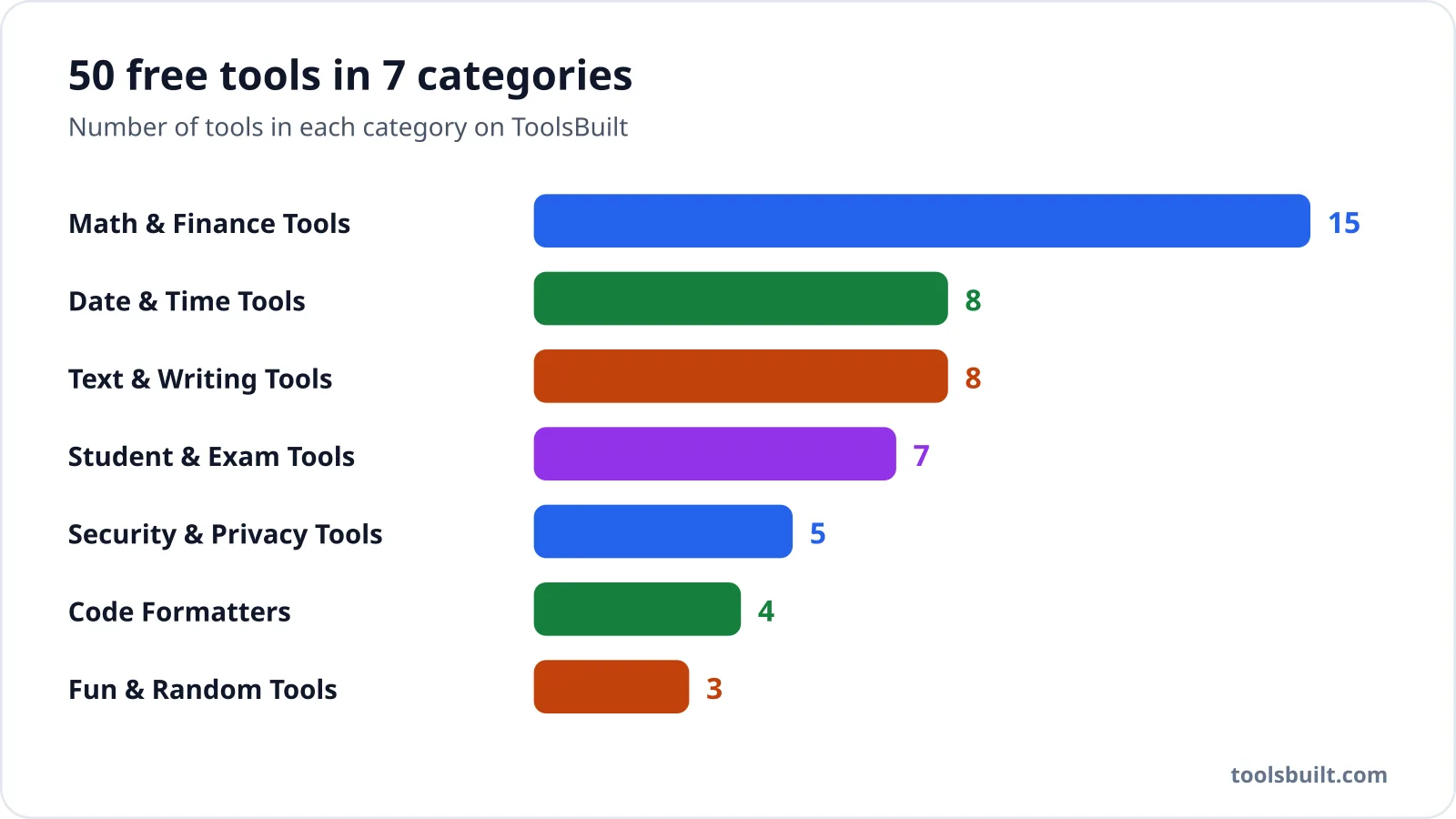
ToolsBuilt has 50 tools in 7 categories. Finance and maths is the largest group, with 15 tools such as loan EMI, compound interest, SIP and salary tax. Dates and text have 8 each, student tools 7, security 5, code formatters 4 and random pickers 3. Each category has its own page.
| Category | Tools | Examples |
|---|---|---|
| Math & Finance | 15 | Loan EMI, Percentage, compound interest, SIP, salary tax |
| Date & Time | 8 | Age calculator, date difference, hours, time zones |
| Text & Writing | 8 | Word counter, case converter, text compare |
| Student & Exam | 7 | GPA, marks percentage, CGPA to percentage, attendance |
| Security & Privacy | 5 | Password generator, password strength, hash, UUID |
| Code Formatters | 4 | JSON, Python, Java and HTML formatters |
| Fun & Random | 3 | Name picker, random number, coin flip and dice |
Several tools were built with Pakistan in mind. The loan and savings calculators start in rupees unless your browser points to another country, the salary tax calculator follows the FBR slabs, and the student tools cover matric, FSc and university marks. You can switch the currency on any money tool.
You can browse everything on the all tools page, or press Ctrl + K (⌘ + K on a Mac) on any page to search by name.
How do the tools keep your inputs private?
The calculations run in JavaScript inside your browser. When you type a loan amount or paste a piece of text, the tool works out the answer on your own device, so your inputs are not sent to a ToolsBuilt server. Once the page has loaded, working out a result needs no network request at all.
The password generator is a good example. Its randomness comes from your browser's built-in crypto.getRandomValues() function, a cryptographically secure source. The password is created on your device and shown on the page. It is not sent anywhere and is gone when you close the tab.
There are three things worth knowing so you have the full picture:
- Some tools remember your last inputs. They save them in your browser's local storage so they are still there next time. That data stays on your device, and the tool's Reset button clears it.
- Result links put your inputs in the address bar. After you calculate, the page address can include your values (for example
?amount=1500000) so you can share or bookmark the result. Only share that link with people you want to see those numbers. - Analytics only runs if you say yes. Google Analytics loads only after you accept it in the cookie banner, and not at all if your browser sends Do Not Track. It counts page visits, not what you type into a tool. The Privacy Policy has the details.
Which languages is ToolsBuilt available in?
Every tool and page is available in nine languages: English, German, French, Spanish, Portuguese, Indonesian, Arabic, Hindi and Urdu. Switch with the language menu at the top of any page. The translated pages use the same formulas and examples, and Arabic and Urdu pages read right to left.
The calculators also follow your language when they show numbers and dates, so a German page writes decimals with a comma while an English page uses a point. The amounts themselves are the same in every language.
How accurate are the calculators?
Each calculator uses a standard, published formula, shows it on the page and works through real examples so you can check the result by hand. The calculation code is covered by automated tests that must pass before any change goes live. Results are still estimates, not financial or legal advice.
That last point matters most for money. A loan calculator can tell you what a given rate costs, but your bank's actual rate, fees and rounding decide what you really pay. Where a tool depends on rules that change, such as tax slabs, the page names its source and the year it applies to. If you spot a result that looks wrong, please report it with the numbers you entered.
Who builds ToolsBuilt?
ToolsBuilt is built and maintained by one person, Abu Umair, who builds the tools and looks after the guides and explanations on every page. The site is a static website made with Eleventy and plain JavaScript, with no heavy frameworks, and it is hosted on GitHub Pages. The full source code is public on GitHub.
Keeping the code public is part of the privacy promise. You do not have to take my word that a tool runs in your browser: anyone who reads JavaScript can open the tool's code and see exactly how it works out its answer.
Keeping the site light is also why pages load quickly on a phone. There is no framework to download, and the long explanations below each tool are plain HTML.
How can you suggest a tool or report a mistake?
Send a message through the Contact page, or use the Suggest a Tool button in the footer of every page. Tool ideas, wrong results, confusing wording and translation fixes are all welcome. For a calculation problem, include the values you entered so it can be reproduced and fixed.
What comes next?
More tools will be added where people ask for them, and existing tools will keep getting clearer explanations and more worked examples. The blog will add guides like how to calculate loan EMI and percentage formulas explained that walk through the maths behind a tool with real numbers.
Thanks for visiting. I hope ToolsBuilt saves you some time.
— Abu Umair